Step 1: Make sure your phone works
Setting up World Mobile
Everything You Need to Know (Step-by-Step)
World Mobile uses eSIM
Check compatibility here:
Your phone must be unlocked
How to check:
iPhone
Settings → General → About
Look for “Carrier Lock”
Must say: No SIM restrictions
Android
Settings → Connections → Mobile Networks
Turn off auto select → If multiple carriers show, you’re good
If your phone is locked:
Finish payments with your carrier
Request unlock
Step 2: Choose Your Plan
Step 3: Switching (Keep Your Number)
Let’s kill the biggest fear right now:
👉 Yes, you can keep your number.
What is porting?
Porting = moving your number from your old carrier → World Mobile
What you need:
Account number
Transfer PIN
Billing ZIP
⚠️ IMPORTANT RULES:
Do NOT cancel your current plan first
Keep your line active
Port happens during checkout
⏱️ How long it takes:
Usually: 5-20 minutes
Worst case: up to ~12 hours
🧩 Exact Flow:
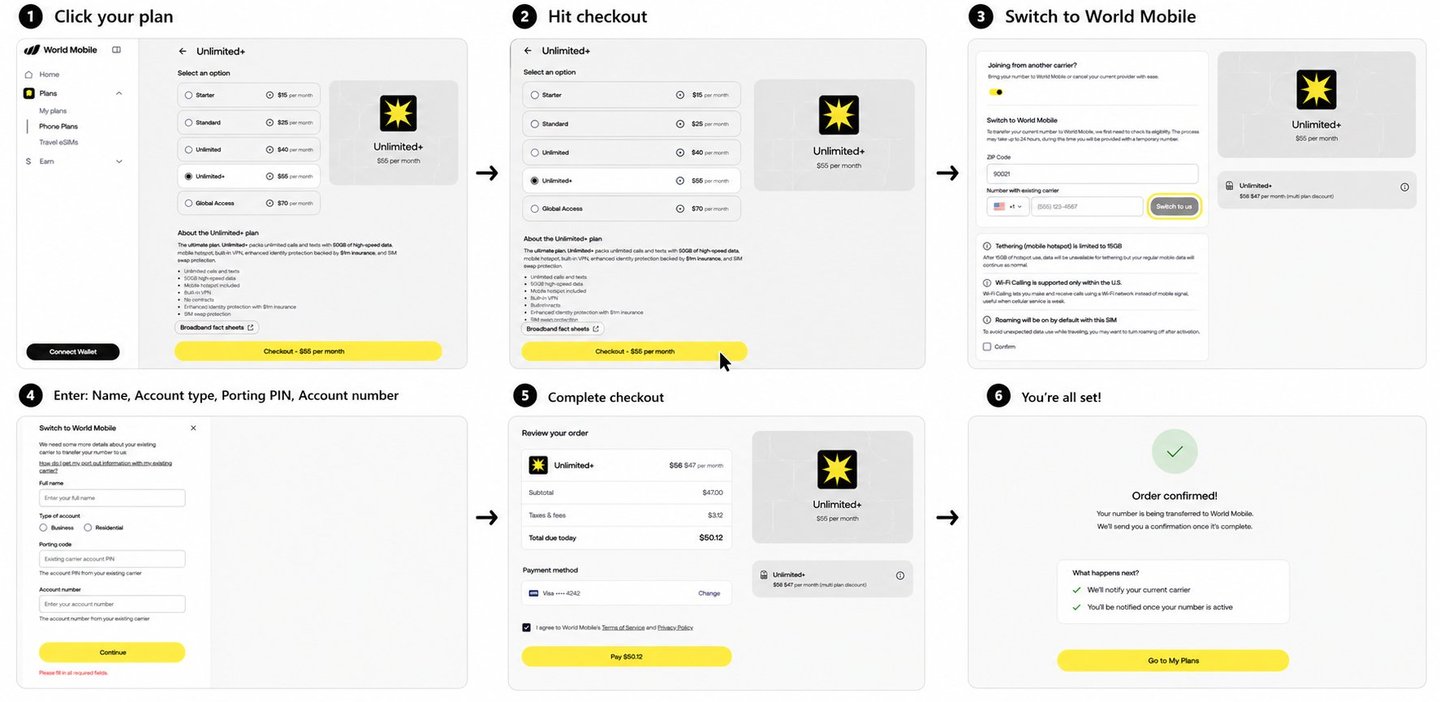
Exact flow of checking out
You can pay with:
Credit / Debit card
Apple Pay / Google Pay
Crypto (via @coinbase)
🟦 Why Crypto is Powerful Here:
Instant settlement (24/7)
Lower fees
No banking friction
More privacy
World Mobile integrates x402 @coinbase
Meaning: Payments are becoming as native as sending data.
👉 This is where telecom is going.
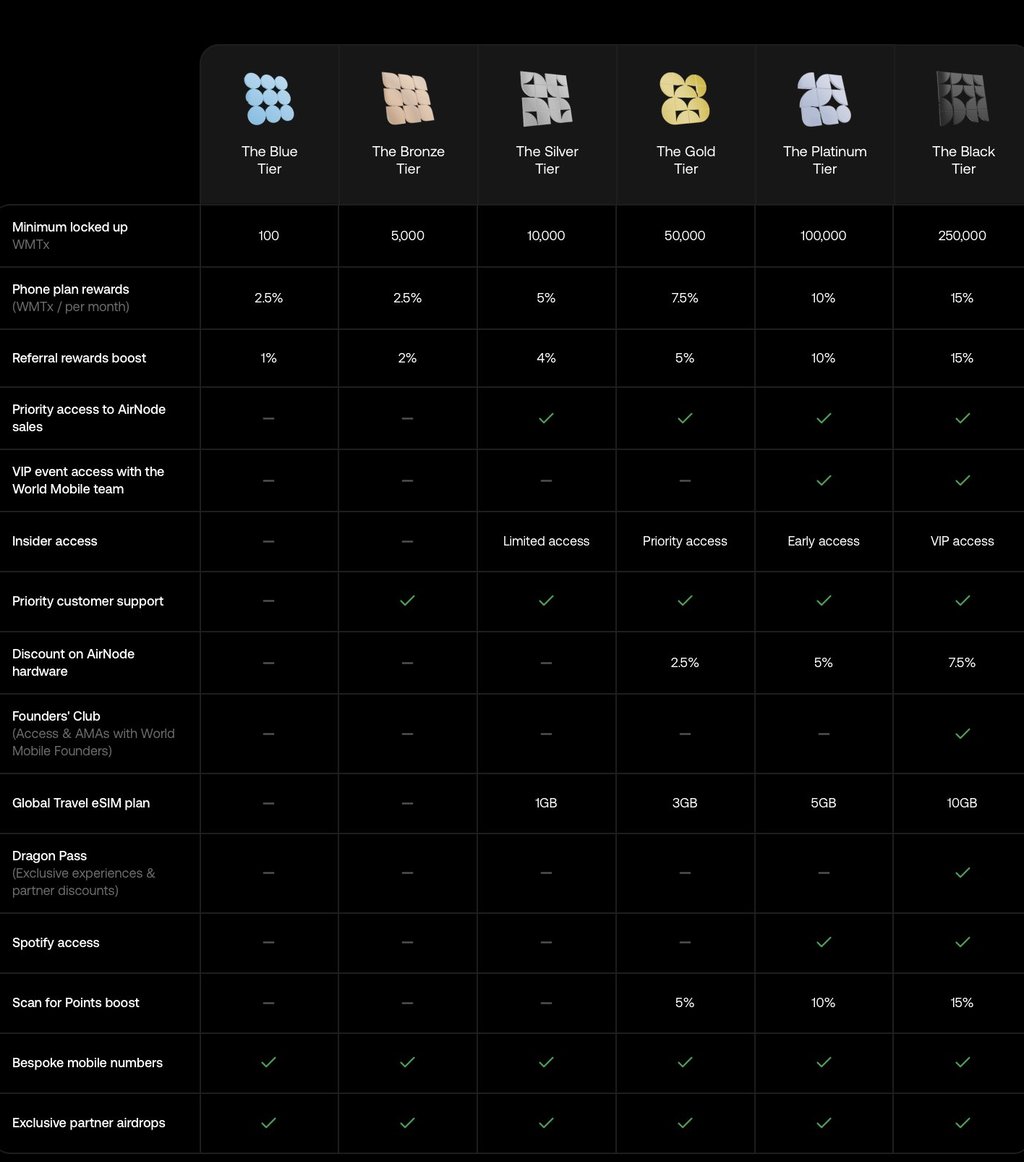
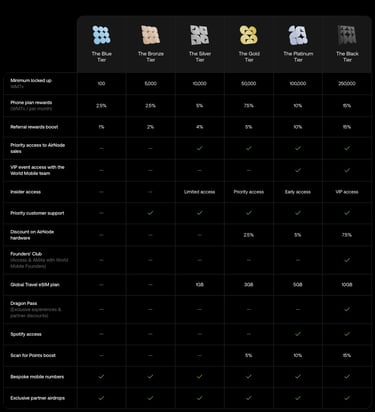
You can stake $WMTX to your plan and earn rewards.
Example:
Lock just 100 WMTX (Blue Tier)
Earn 2.5% back monthly
Your carrier has never paid you to use your phone.
This one does.
🌍 Travel Features (Underrated)
Travel eSIMs available
Roaming supported
Travel Call Credit for calls + SMS abroad
Your balance is in USD, not minutes.
It works across countries seamlessly.
🟡Final Step (Don’t Overthink It)
Switching takes minutes.
You keep your number.
You pay less.
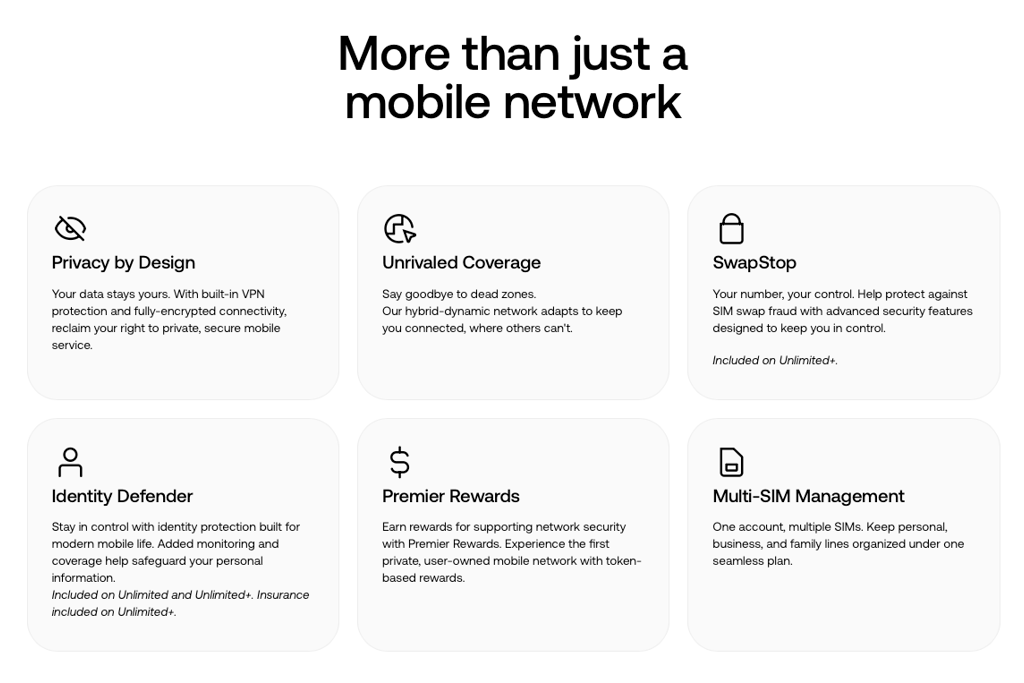
You get privacy.
And you can even earn back from your plan.
🟨 Closing Thought
This isn’t just a cheaper plan.
It’s a better system.
And once you use it…
You won’t go back.
You are now in-control of your data!!!